
Amazon Seller
Amazon Mobile LLCBusiness
3.914.97K Reviews
- Version
- 9.12.4
- Installs
- 10.00M
- Age Rating
- Everyone
Screenshots
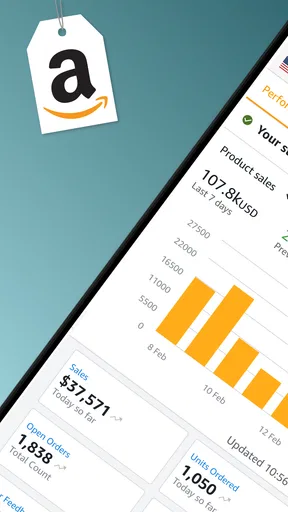
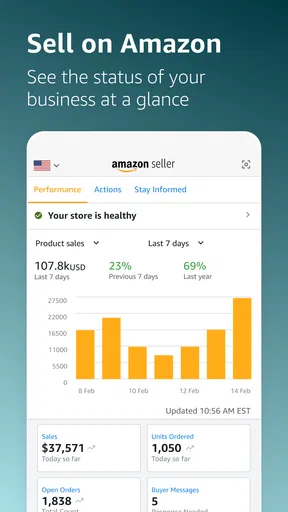
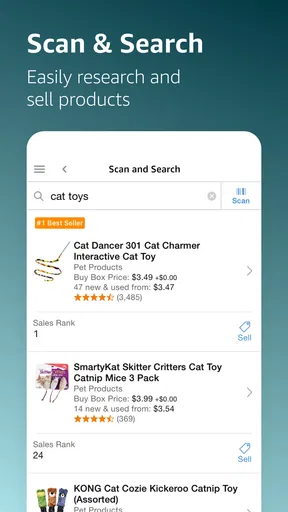
Our Review of Amazon Seller
 Analysis by Appyee
I approached Amazon Seller as a practical business companion rather than a general shopping tool. Its purpose is to help people who sell through Amazon keep an eye on their operation from a phone or tablet, which makes the experience very different from browsing products as a customer. I found the app most useful when I needed a quick view of selling activity while away from a computer, especially for checking what needed attention before making a more involved decision.
It is a free business app from Amazon Mobile LLC, available for everyone, and it has grown into a widely used option with over ten million installs. Its average rating is 3.9 from around two hundred thousand ratings, so the overall picture is positive but clearly not perfect. That feels fair to me: the app can save a seller time, but it does not remove the complexity of running an Amazon business.
How the app feels during ordinary selling work
The first thing I noticed is that the app makes sense as a mobile control point. I would not choose it as my only workspace for building a large catalog, studying long-term performance, or handling every administrative detail. On a phone, however, it is more convenient than waiting until I am back at a desktop to see whether something requires attention.
That distinction matters. A seller often needs information at inconvenient moments: while packing orders, between appointments, during a stock check, or when a customer-related issue appears unexpectedly. In those situations, opening a dedicated seller app is more direct than trying to manage a business through a normal shopping application or a mobile browser.
My impression of speed is therefore tied to the task. Quick checks feel like the right use case. Moving through a small, familiar workflow is generally more comfortable than opening a full desktop dashboard on a narrow screen. The app is built for repeated visits, not necessarily for one long session in which every part of a business is reorganized.
The most useful habit is to treat the app as an early-warning and action tool, not as a complete replacement for desktop seller management. That expectation makes its performance feel more consistent because I am asking it to do work suited to a mobile screen.
Where the mobile format saves time
A phone-based seller workspace is particularly helpful for sellers who do not sit at a desk all day. A small retailer can check activity from a stockroom, a handmade seller can review the business between production tasks, and a growing operation can use the app to keep the owner informed while someone else handles packing.
I also like the reduced friction of having a business-focused interface in one place. A browser can be flexible, but it can also mean opening the wrong account, navigating a dense page, or dealing with a layout designed for a larger screen. The dedicated app feels more purposeful when the question is simply, “What needs my attention right now?”
That does not mean every task becomes fast. The moment I need to compare several pieces of information, make careful edits, or inspect a broader pattern, the phone form factor becomes less comfortable. The app is strongest when the answer can be found through a short sequence of focused steps.
What happens during heavier use
Heavy use changes the experience. A seller who checks activity occasionally may find the app easy to live with, while someone managing a busy catalog, frequent orders, inventory changes, and customer communication may spend much longer inside it. In that situation, the quality of the phone, the network connection, and the amount of information being handled all become more noticeable.
I would avoid judging the app only by a quick opening or a single check. Business apps often feel fine for a simple lookup but more demanding when several screens are opened in succession. Long sessions can also expose the limits of working on a small display: repeated scrolling, switching between related details, and entering information on a touchscreen are more tiring than they are on a keyboard.
My practical approach would be to reserve the app for monitoring and time-sensitive actions, then move to the larger seller environment when a task becomes analytical or repetitive. That split reduces unnecessary tapping and makes the phone version feel lighter. It also lowers the risk of making a rushed change simply because the mobile interface encourages quick interaction.
For a small operation, this workflow can be enough for much of the day. For a larger operation, it is more realistic to see the app as one layer in a broader process. It can help an owner stay informed, but it is not a substitute for careful catalog maintenance, structured bookkeeping, or a dedicated inventory routine.
Stability and recovering from interruptions
Reliability matters more in a business app than visual polish. If I am checking an important update or trying to respond to a time-sensitive issue, I need the app to make it easy to understand whether an action completed. Mobile work is full of interruptions, including calls, weak connections, battery-saving behavior, and switching to another app.
That is why I recommend a cautious habit: after any important action, return to the relevant screen and verify the resulting state instead of assuming that a tap was enough. This is not a criticism unique to this app; it is sensible practice whenever a phone is being used for commercial work. A seller should also avoid treating a delayed screen as proof that something failed or succeeded until the status is clear.
The app’s broad adoption suggests that it is useful for many sellers, but a large user base does not guarantee a perfect experience on every device or connection. I would keep the app updated and make sure the phone has enough free storage and a stable connection before starting a longer work session. The current version is 9.12.4, which makes staying current a sensible part of troubleshooting.
When an interruption occurs, my preferred recovery method is simple: reopen the app, revisit the area I was working in, and confirm the current information before repeating an action. That approach is especially important for anything involving orders, stock, or customer-facing changes. Repeating a tap without checking can create more confusion than the original interruption.
Device limits that affect the experience
The minimum operating-system requirement is iOS 9 or later, so compatibility is not aimed only at the newest phones. Even so, operating-system eligibility and a comfortable experience are not exactly the same thing. Older hardware may technically run an app while feeling slower when several screens are loaded or when the device is already busy with other work.
Screen size is another practical limitation. A compact phone is convenient to carry, but dense business information can require more scrolling and make small controls less forgiving. A larger phone or tablet is more comfortable for reviewing several details at once, although it still cannot provide the same keyboard and workspace advantages as a desktop.
Resource demands are also influenced by how the device is used. A seller who opens the app briefly and closes it should have a different experience from someone leaving it active while moving between business apps throughout the day. Keeping other demanding apps under control, maintaining free storage, and avoiding work with a nearly empty battery are ordinary steps, but they make a meaningful difference to mobile reliability.
I would also think about the business environment itself. A phone used in a warehouse, market stall, or delivery vehicle may face dust, poor reception, bright light, and constant movement. The app cannot solve those physical constraints. In those settings, the best result comes from using it for short, deliberate checks rather than expecting a phone to become a full workstation.
Useful workflows beyond a quick glance
One less obvious strength is the way a mobile seller tool can support separation between observation and intervention. I can check what is happening first, then decide whether a change is genuinely necessary. That pause is valuable because mobile interfaces make it tempting to react immediately to a single number or notification-like signal.
A second useful workflow is using the app during a stockroom walk. Instead of writing down every question and returning to a computer later, a seller can review the business context while physically checking products. The phone is not replacing a formal inventory system, but it can connect a real-world inspection with the seller account at the moment the discrepancy is noticed.
A third trade-off appears when more than one person helps with the business. The app can make it easier for an owner to stay aware of activity without sitting beside the packing or customer-service process. However, shared access requires discipline. I would not hand over a personal phone casually or assume that every helper needs the same level of access. The app may be convenient, but convenience should not replace a clear division of responsibility.
Another tip is to use a larger screen for decisions that depend on comparison. If I need to weigh several products, review a broad stretch of business activity, or make a change that could affect many listings, I would rather use the desktop experience. The phone version is better for confirming a known detail or handling a focused task than for making a complicated plan from scratch.
Who will appreciate it most
This app is a strong fit for an independent seller who wants mobility without abandoning the Amazon selling workflow. It is also useful for a small team where the owner needs to monitor activity while working elsewhere. Sellers who already understand their routine will probably get more value from it because they know which signals deserve immediate attention and which can wait for a proper review.
It can also suit someone starting to take online selling more seriously. The free price removes an obvious barrier to trying it, and the everyone age rating makes it broadly accessible from a content-classification standpoint. Still, free access should not be confused with a free business. Selling involves stock, fulfillment, customer care, and platform responsibilities that an app cannot manage on the owner’s behalf.
I would be more cautious about recommending it as the main tool for a professional operation with complex processes. A large seller may need specialized software, detailed reporting, barcode workflows, accounting tools, or team controls that a mobile companion is not designed to replace. In that case, the app can remain useful for oversight, but another system should carry the heavier workload.
How it compares with the usual alternatives
The most obvious alternative is using Amazon’s seller tools in a mobile browser. A browser may offer flexibility and can be preferable when I need a desktop-oriented page, but it is less focused for quick checks. The dedicated app wins on convenience when I already know what I want to inspect and do not want to navigate through a general website.
A desktop seller dashboard is the better alternative for deep work. It gives more room for comparison, typing, and extended review, so I would choose it for planning and complex changes. The phone app wins when location matters, when time is limited, or when I need to make a short check without opening a laptop.
Third-party business tools can be preferable for sellers who want to combine Amazon activity with other sales channels or connect selling work to broader accounting and inventory processes. Their advantage is often centralization. Their drawback is that they add another service, another interface, and potentially another cost or setup burden. For a seller focused mainly on Amazon, the official app is the simpler starting point.
My performance verdict
After using it as a mobile business companion, I see Amazon Seller as a practical, focused app rather than a complete office in a pocket. Its perceived speed is best during short, familiar workflows. Its stability is easiest to appreciate when the user verifies important actions and works with a dependable connection. Its resource demands become more noticeable during long sessions, on older hardware, or when the phone is already under pressure.
The app’s main performance advantage is not that it makes every task effortless. It is that it reduces the delay between noticing a business issue and checking it. That can be genuinely valuable for a seller who spends much of the day away from a desk. The main weakness is the same as its main strength: mobile convenience can encourage rushed decisions and makes detailed work less comfortable.
I would install it if I sold through Amazon and wanted a reliable way to stay connected while moving around. I would skip relying on it alone if my work required extensive catalog editing, advanced analysis, multi-channel coordination, or long periods of data entry. In those cases, the desktop tools or a specialized business platform are better suited.
With a 3.9 average and around fifteen thousand written reviews, the reception reflects that middle ground: useful enough to become part of many sellers’ routines, but not so seamless that every user will forget the limits of mobile business management. For me, the recommendation is straightforward. Use it for awareness, quick checks, and focused action; use a larger workspace when accuracy depends on seeing the bigger picture.
Verdict
Strengths of Amazon Seller
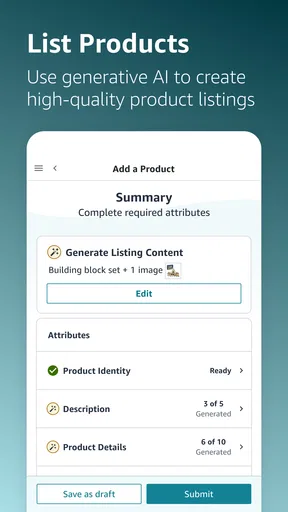
- Manage listings, inventory, orders, and pricing from one mobile dashboard.
- Useful sales and revenue reports help track business performance on the go.
- Barcode scanning makes product searches and inventory updates faster.
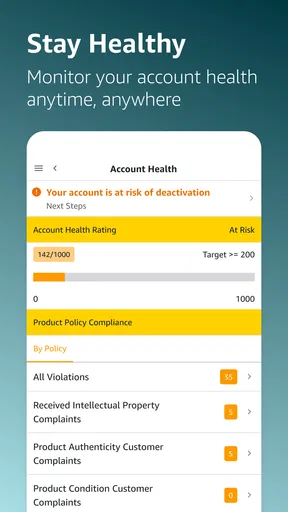
- Push notifications alert sellers to orders, messages, and account issues.
- Supports multiple marketplaces for sellers operating across different regions.
Limitations of Amazon Seller
- Some advanced features are difficult to find in the crowded interface.
- Frequent notifications can become overwhelming without careful settings.
- Reports may load slowly when handling large catalogs or sales histories.
- Certain seller tools require a Professional selling plan or extra fees.
- Performance can vary when managing many products on older smartphones.
Other Releases by Amazon Mobile LLC
View All
MX Player
Video Players & Editors4.2

Amazon Shopping
Shopping4.4

Prime Video
Entertainment4.7

Prime Video
Entertainment3.1
Similar Picks in This Category
View All
LinkedIn: Community & Network
LinkedIn3.8

Zoom Workplace
zoom.com4.1

Microsoft Teams
Microsoft Corporation4.6

Meta Business Suite
Meta Platforms, Inc.4.6

Webex Meetings
Cisco Systems, Inc.4.5

TeamViewer Remote Control
TeamViewer4.4
Frequently Asked Questions
What is Amazon Seller, and what can I do with the app?
Amazon Seller is the official mobile app for people who sell products on Amazon. After signing in with your Seller Central account, you can create or edit listings, check sales and order information, manage inventory, respond to customer messages, review account notifications, and monitor business performance. It is designed to complement the desktop dashboard, making common seller tasks easier to handle while traveling or away from a computer.
Is Amazon Seller free to download and use?
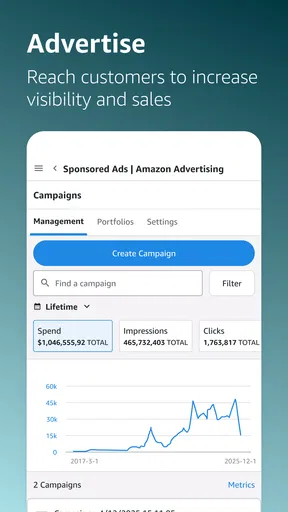
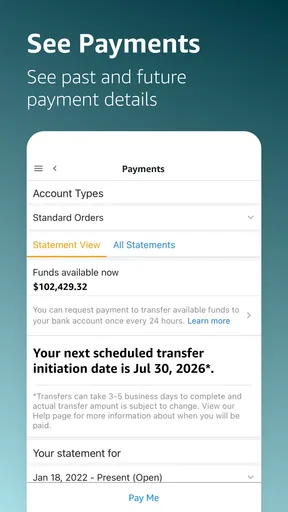
The Amazon Seller app is generally free to download for Android and iOS devices, but using it does not remove Amazon’s selling costs. Depending on your selling plan and products, you may pay subscription fees, referral fees, fulfillment charges, advertising costs, or other account-related expenses. Before listing products, sellers should review the current fee structure, payment terms, and marketplace requirements for their country.
Do I need an Amazon seller account to use the app?
Yes. Amazon Seller is intended for registered Amazon sellers, so you normally need an active Seller Central account to sign in and access its features. The app does not function as a regular shopping application and cannot be used to browse Amazon as a customer. New sellers may need to complete Amazon’s registration, identity verification, tax, banking, and marketplace setup requirements before using all tools.
Can I manage orders, inventory, and customer communication from Amazon Seller?
The app provides useful tools for managing many daily selling activities, including reviewing orders, checking inventory levels, updating product information, viewing sales data, and responding to buyer messages. However, the exact features can vary by marketplace, account type, product category, and fulfillment method. For advanced reports, bulk catalog changes, detailed settings, or complex account management, Seller Central on a desktop browser may still be necessary.
What should I check before downloading Amazon Seller?
Before downloading Amazon Seller, confirm that you are installing the official app published by Amazon and that your device meets the current Android or iOS requirements. A reliable internet connection is important because many features depend on live account data. You should also enable security protections such as two-step verification, use the correct seller login, and understand that app availability and features may differ between countries and Amazon marketplaces.
